Showing posts with label tech. Show all posts

Wednesday, September 8, 2010

Centering Blog Title and Description on Blogger

While I love the new Blogger Template Designer, it does have its drawbacks still. There is no option to center your blog's title and description. (I realized this while tweaking my template for www.FreeIndustrialMusic.com)

There is a simple way to work around this drawback though:


In your Blogger control panel, go to Design -> Edit HTML.


In your template code, you should find something like/similar to this:
/* Header
----------------------------------------------- */
.header-outer {
margin: $(header.margin.top) 0 $(header.margin.bottom) 0;
background: $(header.background.color) $(header.background.gradient) repeat scroll 0 0;
}


Add this to the end, before the "}":
text-align: center;


So it should look something like this:
/* Header
----------------------------------------------- */
.header-outer {
margin: $(header.margin.top) 0 $(header.margin.bottom) 0;
background: $(header.background.color) $(header.background.gradient) repeat scroll 0 0;
text-align: center;
}


Save Template. Your blog's title and description should now be centered on the page.

Tuesday, August 17, 2010

USB Pen Drive Mishap

J_Boner - USB flash drives, installing Linux
This is a guest post by J_Boner.

I was in the process of trying new things with my pen drives and installing different operating systems. In this quest so far I have been very successfull with Windows Vista, Windows 7, and many various Linux installs using the pen drive as my install medium. I have a PNY 8G Attache, a Geek Squad 8G, and a Kingston 2G.

I took my PNY 8G and plugged it into my usb and decided to format that puppy to hfs+ to try to do a Mac OSX drive to see if I could take another empty drive and make a dual-boot system with Linux and OSX.

I followed a certain tutorial, with some mods of my own, and came out with the pen drive where I wanted it. It had 2 partitions of hfs+ and all the files in the second partition and the proper file system I needed. I was all excited. I then told my beast of a computer to boot to the usb pen drive. It started to and then locked up. Not quite sure why yet. I tried several times to get it to boot, changing different options in the bios, nothing worked. Fail.

This then leads us into my quest to learn more on the pen drive because after I reformatted it and set it up to do a usb install of Ubuntu 10.04 LTS for a friend, it would not boot even tho I had specified boot flags on the drive. I thought I "bricked" it for good!

I let the project hang for a few days and then I got a chance to run into some friends with windows computers and asked them to reformat it for me. (Thanks Raivyn and Louie!) We did two attempts on two seperate machines, two seperate OS'es. Windows XP Pro and Windows 7 Ultimate to no avail.

I let it hang for another week or so, and thought about it some more and decided to check PNY's site for support. I went to the support tab and saw they had a low level format utility for the drive and I thought "hmm". I downloaded the zip file with the utility in it and opened it up to see a Windows executable. (I hate Windows.) I then remembered an article I read somewhere about low level formatting in general. There is no need to low level format a drive. All you really need to do is "zero" the damn thing. BINGO!

On Mon. 08/16/2010 the solution to this issue presented itself with my use of a small unix based command line called "dd". DD is built into all linux flavors I have played with. I am not saying it is built into all, just saying the ones I have dealt with. The command I used in terminal was:

# sudo dd if=/dev/zero of=/dev/sdX

  • The "X" in this scenario is the variable for your drive letter. In my case whenever I plug in my usb drive, the first one inserted is sdc. I usually use GParted to find my drive letters by size of the drive. Simple.
  • I did not specify any block size here just because I forgot. You can probably state a block size to use and make it go faster, but I took my time.

After the zero on the drive, I then used GParted to reformat the drive into fat32 and added the boot flag to it and BINGO it was fixed. Tested and verified.

I put on another Linux OS and booted to it. Fixed.

Things to remember here:
  • Make sure not to mix your if's and of's. You could possibly do something wrong/detrimental to your system.
  • Using GParted, if you're looking at your drive and there is a pic of "keys" there, the drive is locked. This is ok. Solution: Right-click on the "keys" and then in drop down menu left click "Unmount". This will unmount the current file system and let you alter/erase said file system.

Hope you have enjoyed this little exerpt from Boner Labs.

J_Boner

Thursday, April 29, 2010

Q&A: Regarding Web Hosting

"What webhost are you using? I am an artist and looking for a good host for my website. What are your thoughts about the service?"
- matti via the forum

Good question.

My music website has been hosted by Bandzoogle since early 2006. BZ has come a long way since then, and they are constantly improving their service.

In my opinion, they are the best web host out there for artists right now, because they make it extremely easy to create a website to fit your needs. The service holds true to their old motto- "So easy, your drummer can do it."

I'm on the pro plan, which includes unlimited pages, audio tracks, image and file storage, 10 email accounts, and download codes, among a lot of other stuff an artist could need. Every hosting plan includes a free domain name, traffic reports, and mailing list feature. Blog(s), forum, photo galleries, guestbook, event list, and store features are also included, and they make it very easy to connect with your social profiles, like Twitter, Reverbnation, Last.fm, MySpace, Facebook, YouTube, etc.

At this point, I wouldn't consider any other web host for my music.

As for this blog, it is hosted by Blogger (which is free for those who don't know), and I purchased my domain name through 1&1. It is a much cheaper way to build your mini empire, that is, if a blog is all you really want.


Thanks for the questions, keep them coming. More Q&A soon.

Tuesday, April 13, 2010

New Blog Template (Almost) Complete

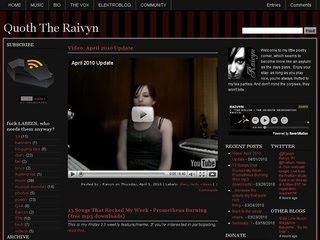
Quoth The Raivyn blog template version 2
I'm happy to announce that, after a period of silence here, the new blog template is (almost) complete, and is now live.

Now, before you start complaining that it's difficult to read, or too much stuff crammed into a small space, understand that I still have some tweaking to do to the text, page elements, comments and trackbacks, and a few other minor details. This will all come in due time, hopefully finished by next week.

The reason I chose to use a 4 column layout for this blog is because there was so much stuff I wanted to include, but couldn't with a single sidebar. As my music portfolio (and general online presence) grows, there is more content to put here, whether it be displayed in a sidebar or written in a post. If I was to continue on with the way I was going, this blog would become a clusterfuck of information, randomness, and widgets in what would seem like no time at all. And I don't want that.

So.. new look, and new things on the horizon.

Tuesday, March 16, 2010

There is no title.

...and I still can't comment on other Blogger blogs. I don't get it.

Thursday, March 4, 2010

Oh, that's neat.

I can post a journal entry, but I can't post comments on other Blogger blogs? What the fuck? This issue started yesterday.

Tuesday, March 2, 2010

This was supposed to be a mobile post, but...

...it didn't work.

I set my phone up for mobile posting the other day, because my computer decided it wanted to die, and piss me off, and force me to use my phone for something other than texting.

Well, technically, it is texting.. but this is completely different because it's blog-related. It's like Twitter, but not. Like how a mandolin is like a ukulele, but not. Like how.. I don't know, I'm out of analogies.

Please tell me I'm not the only one who has to fight back a smirk every time I see or hear a word that contains 'anal'- like analogy, analgesic, or, my personal favorite, analog.

Anyway..

Now I'm not only uber pissed at my suicidal computer, I'm pissed at my phone too (or is it Blogger?), for posting a blank entry, and forcing me to update via someone else's computer. At least until I can figure this out.

Anyone have any experience with mobile posting to Blogger?

Saturday, February 27, 2010

Tuesday, January 26, 2010

A few words about my new Blue Snowball USB mic


I know, the audio is distorted at first, and it doesn't sync with the video. I blame Camtasia.

Tuesday, November 24, 2009

F*ck You, Firefox!

Okay, I have to admit- Firefox has done a great deal of good for me, as well as my computer, in the past. But as of lately, it's been nothing but a problem. It has been running slowly, crashing often, and has been a royal pain in my ass.

But then my friend, a Mac fanboy (he'll probably kill me for referring to him as such), convinced me to try Safari. I thought it was just a Mac thing, but there is a Windows version, too.

As with a lot of new things, I was a little iffy about trying it, since I was stuck in the whole Firefox mindset- that's what I've come to rely on. But then I took the time to try it out..

He wasn't kidding when he said it was quick.. holy crap. I can't get over how fast it is.

I must be honest, I was a little confused at first when trying to figure out how to set it up to fit my personal needs, namely the bookmarks and atom feeds. But it really is quite simple once you get the hang of it. It makes things so much easier for me.. And I like how I can keep up with my comment feed for this blog without any hassle whatsoever, or signing into Netvibes several times a day, which I've been doing since I started this thing. And best of all, my computer is now running at the speed it was meant to- FAST.

So fuck you, Firefox. I'm leaving you for Safari.